How to Use an Air Purifier: A Step-by-Step Guide
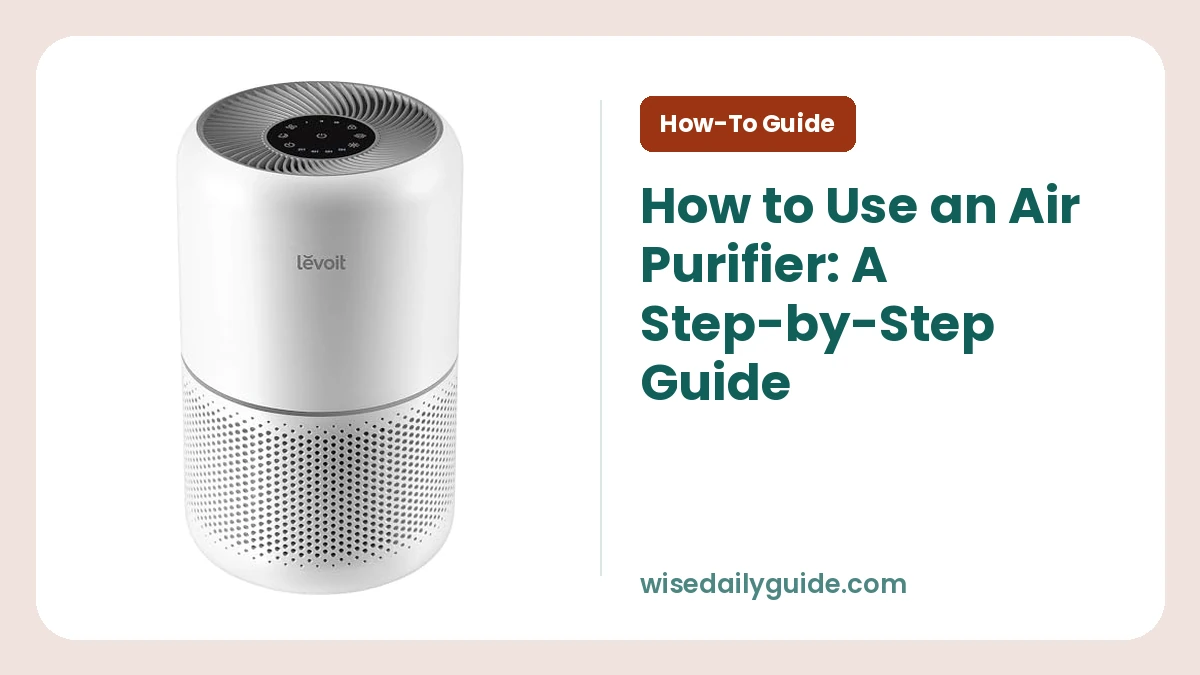
Here is how to use an air purifier correctly: remove all filter packaging, place the unit in an open area, select the fan speed that fits your room and air quality, then let it run consistently. First-time setup takes about 10 to 15 minutes. For most homes, running the purifier on Auto or a low continuous setting gives better results than turning it on only after the room smells dusty or smoky.
A purifier only cleans air that can reach it. Correct placement, a properly sized unit, and a clean filter matter more than using the highest setting all day.
What You Need Before You Start
Gather a few basics before setting up your air purifier:
- Your air purifier and its manual
- A nearby grounded wall outlet
- Enough floor or tabletop space for clear airflow
- The room's approximate square footage
- A tape measure, if you need to measure the room
- A reminder or calendar for filter checks
Do not use an extension cord unless the manufacturer's manual clearly permits it. Keep the power cord away from hot surfaces, water, doorways, and areas where it can be pinched.
How to Use an Air Purifier Step by Step
1. Match the purifier's capacity to your room
Check the purifier's recommended room capacity before you plug it in. Measure the room length and width, then multiply them to find square footage. A 12-foot by 15-foot bedroom is 180 square feet.
Room-size claims can be confusing because they depend on air changes per hour. An air change means the purifier has filtered an amount of air equal to the room's volume. For allergy concerns, pet dander, or smoke, choose a unit rated for a room larger than yours. That gives you stronger cleaning at a quieter, lower fan speed.
CADR, or Clean Air Delivery Rate, is another useful number. A higher CADR means the machine can clean more air per minute. Look at the smoke CADR when wildfire smoke, cooking smoke, or fine particles are your main concern.
2. Unbox the unit and remove all filter wrapping
Open the filter compartment and take off every plastic bag, shrink wrap, cardboard insert, and protective seal. Many air purifiers arrive with the filter sealed to keep it clean during shipping.
Running the unit with plastic around the filter blocks airflow. It can also make the purifier louder and prevent it from cleaning the air properly. Reinstall the filter with the airflow arrows facing the direction shown in the manual.
For how to use an air purifier for the first time, this is the most important step to double-check. A new filter may have a mild material smell for a short time, but it should not smell like burning plastic. Turn the unit off and check the manual if you notice a hot or burning odor.
3. Put the purifier where air can move freely
Set the unit on a firm, level surface. Leave space around each air intake and outlet. Many models need at least 6 to 18 inches of clearance, but use the manual's exact guidance.
Place it in the room where you spend the most time, such as your bedroom, home office, or living room. In a bedroom, place it several feet from the bed instead of aiming the airflow directly at your face.
Avoid these spots:
- Behind a sofa, curtain, or large plant
- Tight against a wall
- Inside a cabinet or under a table
- Near a humidifier's mist stream
- Beside an open window during pollen, smoke, or heavy traffic periods
- On a soft rug that can block bottom air vents
Keep doors and windows closed while you are trying to clean the room's air. Open windows bring in fresh air, which is useful at times, but they also bring in outdoor particles and make the purifier work harder.
4. Plug it directly into a wall outlet
Use a wall outlet that is easy to reach. Make sure the cord lies flat and does not create a trip hazard. Then press the power button and check that the display or indicator light turns on.
Some models begin in Auto mode. Others start at a medium fan speed. Let the unit run for several minutes before deciding that it is too loud or weak. A purifier changes sound as its fan speed changes.
5. Choose a useful starting fan speed
Start on medium for the first hour in a closed room. This helps the purifier reduce the existing particle load. After that, use Auto mode or a low setting for steady daily cleaning.
Use a higher speed for short periods after cooking, vacuuming, bringing in outdoor air, or making the bed. These activities stir up particles. High speed also helps during smoky conditions, though it creates more noise and uses more electricity.
Air Purifier Settings Explained
Most controls are simple, but each setting has a different job. These air purifier instructions cover the controls found on many portable units.
| Setting | What it does | Best time to use it | Main trade-off |
|---|---|---|---|
| Low | Moves air slowly and quietly | Sleeping or all-day use in a clean room | Cleans the room more slowly |
| Medium | Balances airflow and noise | First hour of use and normal daytime cleaning | Noticeable fan sound |
| High or Turbo | Moves the most air | Smoke, odors, cleaning, or heavy pollen days | More noise and higher energy use |
| Auto | Adjusts fan speed using a built-in sensor | Daily hands-off operation | Sensors may not detect every pollutant |
| Sleep mode | Dims lights and lowers fan speed | Bedrooms at night | Lower airflow |
| Timer | Turns the purifier off after set hours | Short-term use or a routine | It stops cleaning after the timer ends |
Particle sensors respond best to airborne particles such as dust, pollen, and smoke. They may not respond strongly to gases or every odor. A carbon filter helps reduce some odors and gases, but it has a limited amount of absorbent material and needs replacement on schedule.
Avoid relying on ionizer or ozone-producing features. Ozone can irritate the lungs. Leave that function off unless you have confirmed that the model does not generate ozone and the manufacturer provides clear safety guidance.
6. Let the purifier run long enough
Air purifiers work through repeated passes of room air through the filter. They do not make a room clean instantly. Give a correctly sized unit at least a few hours in a closed room to make a meaningful difference.
For ongoing use, keep it running whenever the room is occupied. A low or Auto setting is practical for day and night. Turning it off every few hours lets particles build up again, especially in homes with pets, open windows, or frequent cooking.
7. Check the filter indicator, but inspect the filter too
Many units have a filter light. This light is usually based on time or fan use, not the actual amount of dirt in the filter. Follow the replacement interval in your manual, then inspect the filter when the reminder appears.
A gray or dusty prefilter can restrict airflow. Some washable prefilters can be vacuumed or rinsed, but a HEPA filter is not washable unless the manual specifically says it is. Water can damage filter fibers and lead to odor or mold problems when the filter is put back damp.
Reset the filter light only after you complete the needed cleaning or replacement.
Wattage, Energy Use, and Daily Running Costs
Wattage tells you how much electrical power an air purifier uses while running. The label or manual lists the unit's wattage, and power use changes with fan speed. Low speed uses less power than Turbo.
To estimate electricity use, divide wattage by 1,000 and multiply by the number of hours used. For example, a 50-watt purifier running for 10 hours uses about 0.5 kilowatt-hours. Your utility rate determines the cost.
Do not choose a purifier based on low wattage alone. A very low-power machine with limited capacity may struggle in a larger room. A properly sized unit on low or Auto can be a better daily choice than an undersized unit forced to run on high.
How Often Should You Run an Air Purifier?
Run your purifier daily in the room where it is needed. Continuous operation on a low setting works well for bedrooms and living spaces. Raise the speed for 30 to 60 minutes after a particle-heavy activity, then return to your normal setting.
During a brief visit or occasional odor, you can use it only as needed. For allergies, pets, urban pollution, or recurring cooking smoke, consistent operation gives steadier air quality.
Common Air Purifier Beginner Tips and Mistakes to Avoid
These air purifier beginner tips prevent problems that make a good unit seem ineffective:
- Do not leave the filter in its plastic wrap. This blocks the entire system.
- Do not hide the purifier in a corner. The fan needs a clear path to pull in room air.
- Do not use a unit beyond its capacity. A small purifier cannot keep up with a large open-plan space.
- Do not wait for a bad smell. Many particles, including pollen and fine dust, have no smell.
- Do not spray cleaners, perfume, or aerosol products directly toward it. These can overload the filter and sensor.
- Do not wash a filter unless the manual allows it. Most pleated HEPA filters need replacement, not rinsing.
- Do not block vents with laundry, bags, or furniture. Restricted airflow lowers cleaning performance.
What to Do When the Air Still Does Not Feel Cleaner
First, confirm that the filter packaging is removed and the filter is seated correctly. Next, close windows and doors for an hour and run the purifier on high. Check that furniture or curtains are not blocking the intake.
A stale or musty room may have a moisture problem, hidden mold, or dirty HVAC components that a portable purifier cannot fix. Strong chemical odors also need source control, such as ventilation and removing the product causing the odor. For persistent breathing symptoms or suspected mold, speak with a qualified professional or healthcare provider.
Set It Up Once, Then Make It a Routine
The best way to use an air purifier is simple: size it for the room, give it breathing space, and run it consistently. Put a recurring reminder on your phone to inspect the filter and wipe dust from the outside vents. That small routine keeps airflow strong and helps the purifier do the job you bought it for.
Frequently Asked Questions
Should I run my air purifier all night?
Yes, running an air purifier all night is a practical choice for most bedrooms. Use Sleep mode or low speed to limit noise and dim the display. Keep the unit clear of bedding and furniture, and use the manual's recommended distance from walls.
Can I put an air purifier next to my bed?
Yes, but place it a few feet from your bed rather than directly beside your pillow. This leaves room for air circulation and avoids a constant draft on your face. Keep the intake and outlet unobstructed, especially on models that pull air from the sides.
Does an air purifier need to be on high all the time?
No, high speed is best for a short cleaning boost after cooking, dusting, or outdoor smoke exposure. Low or Auto mode is better for steady daily use. A correctly sized purifier can maintain cleaner air without staying on its loudest setting.
Can an air purifier remove cooking smells?
An air purifier with a substantial activated-carbon filter can reduce some cooking smells, but it cannot remove the source instantly. Turn on the kitchen exhaust fan, cover food waste, and run the purifier on high afterward. Grease and smoke need ventilation as well as filtration.
Why is my air purifier's filter light on so soon?
The filter light often follows a timer, not a sensor that measures filter dirt. Heavy use, high fan speeds, and dusty conditions can justify an earlier change. Check the filter and the manual, then reset the light after completing the required care step.
Can I use one air purifier for several rooms?
One portable purifier works best in one enclosed room. Air moves slowly through halls and doorways, so it cannot clean several separate rooms evenly. For connected spaces, choose a unit with enough capacity for the full open area or use separate units.